

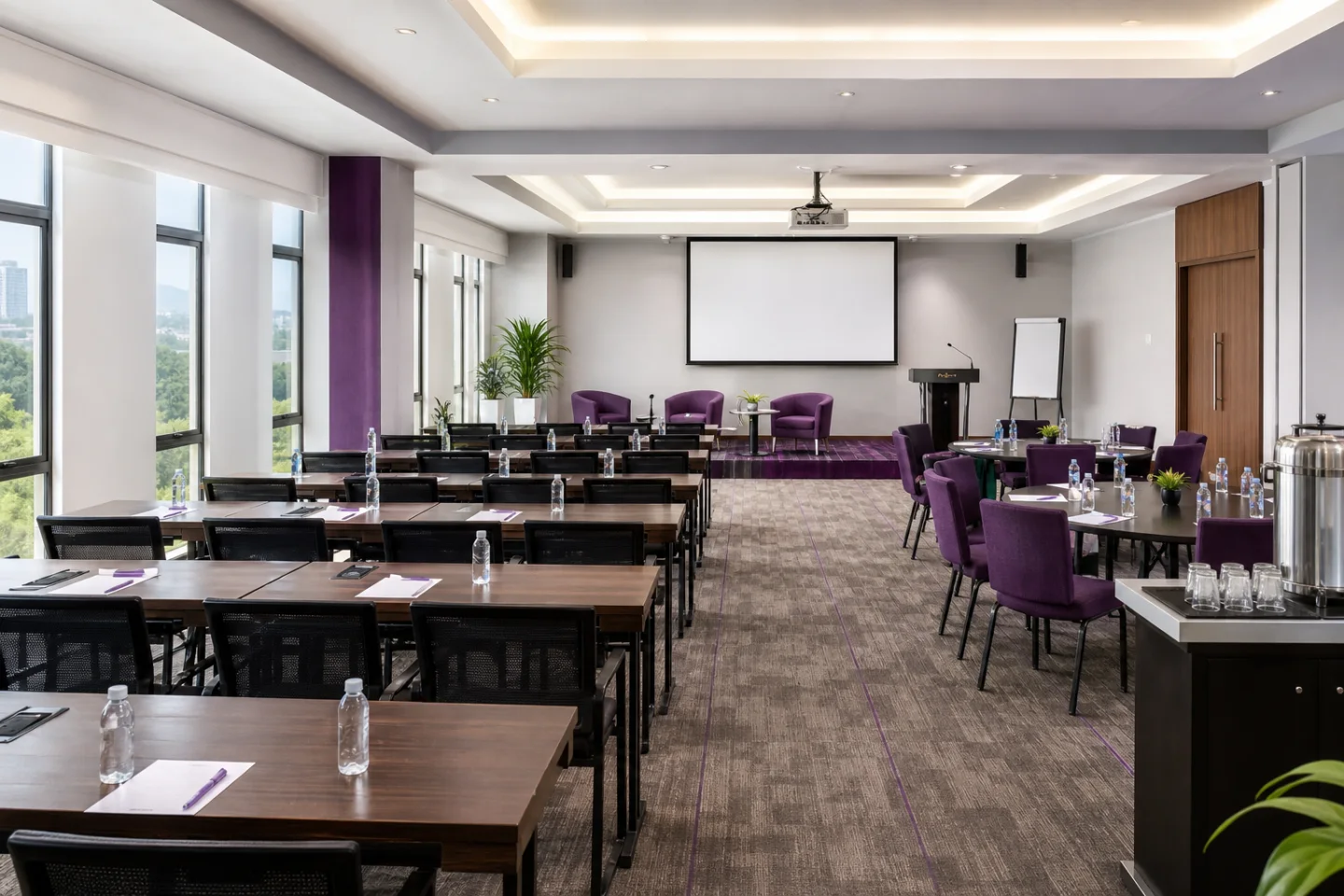
The right venue does more than hold participants. It supports attention, practice, discussion, accessibility, technology, safety and a reliable timetable. When choosing a corporate training venue in Abuja, begin with what participants must do during the programme—not the largest room or the most attractive photograph.
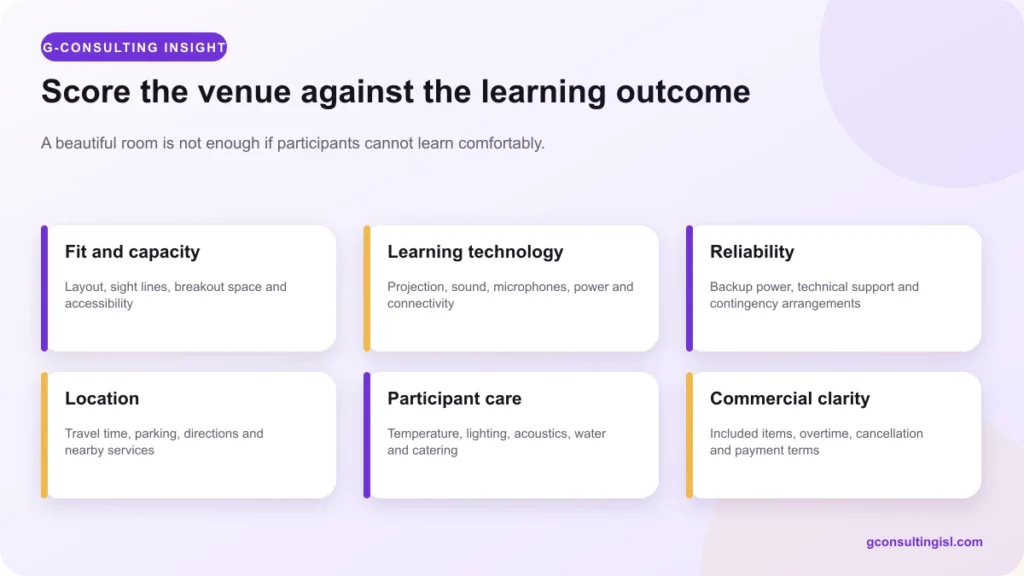
A computer-based workshop, executive strategy session, certification class and public briefing need different layouts, power, sound, support and movement. Use this scorecard to compare venues consistently and avoid hidden costs.
1. Define the learning method and room layout
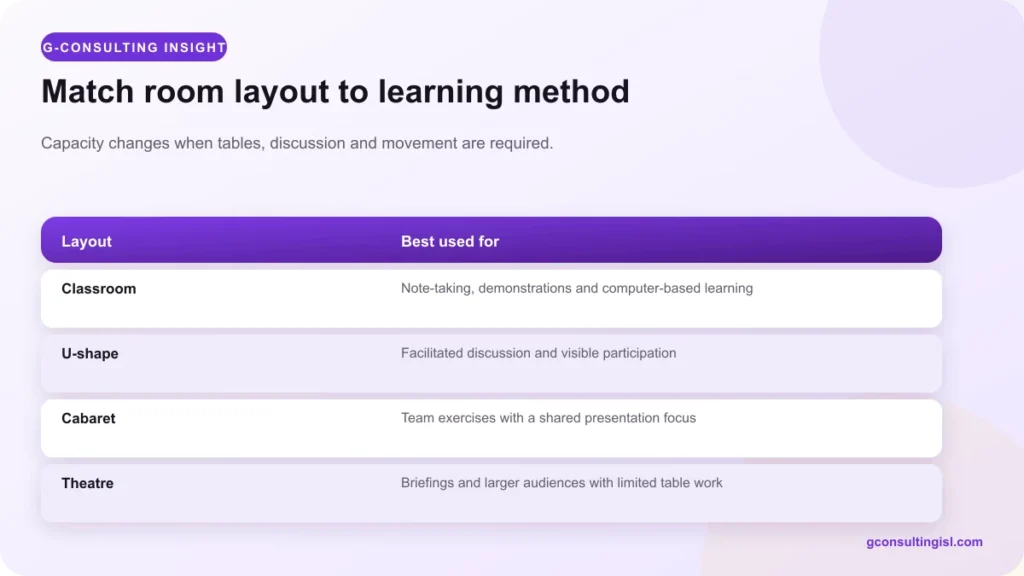
List the main activities: presentation, note-taking, laptop work, group exercise, role-play, assessment, recording or hybrid participation. Then select a layout that supports them.
- Classroom: useful for note-taking, demonstrations and computer work.
- U-shape: supports facilitated discussion and visibility.
- Cabaret or clusters: suitable for team exercises with a shared presentation focus.
- Theatre: increases capacity for briefings but provides little work surface.
- Boardroom: works for smaller decision-making sessions.
Ask for usable capacity in the intended layout. A room that seats 100 without tables may hold far fewer people when every participant needs a laptop, notebook and clear aisle.
2. Test sight lines, acoustics and comfort
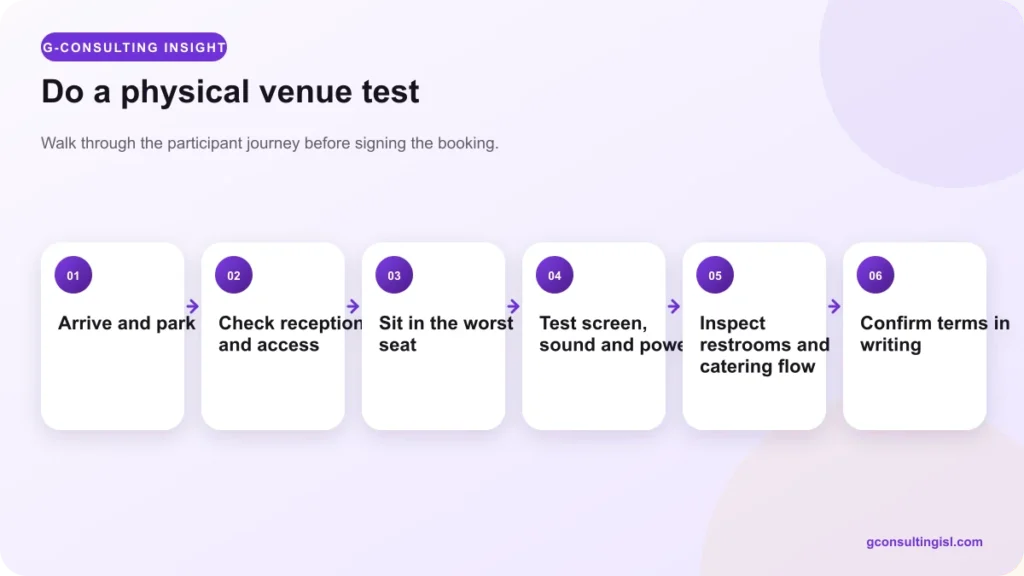
Sit in the back corner and the seat closest to a pillar or aisle. Can participants read the screen, hear normal speech and see the facilitator? Check outside noise, echo, microphone coverage, temperature, airflow and lighting at the time the programme will run.
Comfort affects learning. Inspect chairs, table height, spacing, water access and restrooms. Confirm that the room can remain comfortable at full occupancy, not only when empty.
3. Verify learning technology
Create a written technology list:
- projector or display resolution and connection types;
- screen visibility in daylight;
- public-address system and microphones;
- power sockets, extension management and charging;
- internet speed, coverage and concurrent-user limit;
- laptops or computer-lab requirement;
- recording, streaming or hybrid capability; and
- technical support before and during the session.
Run a real test using the facilitator’s device and presentation. Do not rely on “Wi-Fi available” without testing the room and expected load.
4. Confirm power and contingency
Ask what the backup power supports, changeover time, fuel and maintenance arrangement. Does it power projection, sound, air conditioning, internet and participant devices simultaneously? Confirm who responds and what alternative room or equipment is available after a failure.
For assessments or streamed sessions, add a secondary internet path and offline copies of essential materials.
5. Walk the participant journey
Approach the venue from common routes. Check directions, signage, reception, security, parking, public transport or ride-hailing access and the time needed from major Abuja areas. Assess entrances, aisles, restrooms and seating for participants with mobility, visual, hearing or other accessibility needs.
Plan registration, refreshments, prayer or quiet needs, breaks and emergency movement so queues do not interrupt the programme.
6. Review service and staffing
Clarify who sets the room, receives suppliers, controls access, cleans, supports technology and closes the venue. Agree arrival time for organisers and facilitators. If the room must change between activities, confirm whether venue staff will assist.
Ask about catering options, outside-caterer rules, service charges, waste, food allergies and water. A smooth programme depends on coordination, not only the room.
7. Compare the full cost
Request a written quotation showing hall, tax, projector, sound, internet, laptops, recording, catering, parking, overtime, setup, security and cleaning. Review deposit, payment deadline, cancellation, date change, damage and extra-hour terms.
Compare cost per suitable participant, not hall price alone. A cheaper room may become more expensive after equipment hire, transport or avoidable delays.
A venue site-visit scorecard
| Area | Weight | Evidence |
|---|---|---|
| Fit, capacity and layout | 25% | Scaled layout and physical test |
| Technology and technical support | 20% | Live device, sound and internet test |
| Power and contingency | 15% | Load coverage and response process |
| Access and participant care | 15% | Arrival, accessibility, comfort and restrooms |
| Service and coordination | 10% | Named support and setup responsibilities |
| Commercial terms | 15% | Complete written quotation and conditions |
G Learning Center options in Abuja
G-Consulting’s published G Learning Center information lists multiple hall configurations in Apo-Gudu, Abuja. Published capacities range from a smaller room for about 20 participants with tables to larger halls listed for up to 100 with tables or 120 without tables. The facility information also lists projector availability, public-address support, magnetic and flip-chart boards, optional laptops, parking, air conditioning, standby power, flexible arrangements and catering options.
Capacity, price, equipment and availability can change, so confirm the current quotation and intended setup before paying. Share the programme date, participant number, seating style, equipment, catering, accessibility and overtime needs in one booking brief.
Seven questions to ask before signing
- What is the comfortable capacity in our exact layout?
- Which technology and support are included in writing?
- What continues during a power or internet failure?
- Can every participant arrive, enter, learn and take breaks comfortably?
- Who is the on-site decision-maker during our programme?
- What costs are additional and when does overtime begin?
- What happens after cancellation, date change or venue failure?
To plan a programme, explore G-Consulting’s international and regional training services, review the training facility and current published details, or contact the team for availability.
Frequently asked questions
How much space should a training participant have?
There is no single figure for every programme. Layout, tables, laptops, accessibility, movement and local safety requirements determine usable capacity. Inspect the actual setup.
Should we book the largest room available?
Not automatically. Choose a room that supports the learning method and comfort without creating poor acoustics, weak interaction or unnecessary cost.
What should be tested before the event?
Test the facilitator’s device, presentation, adapters, screen visibility, microphones, speakers, internet, power changeover and any recording or hybrid connection.
When should an Abuja training venue be booked?
Book once the date, participant range and core requirements are stable. High-demand dates and larger or technology-heavy programmes should be confirmed earlier, subject to the venue’s payment and cancellation terms.


